
Marketing Automation 8 min read
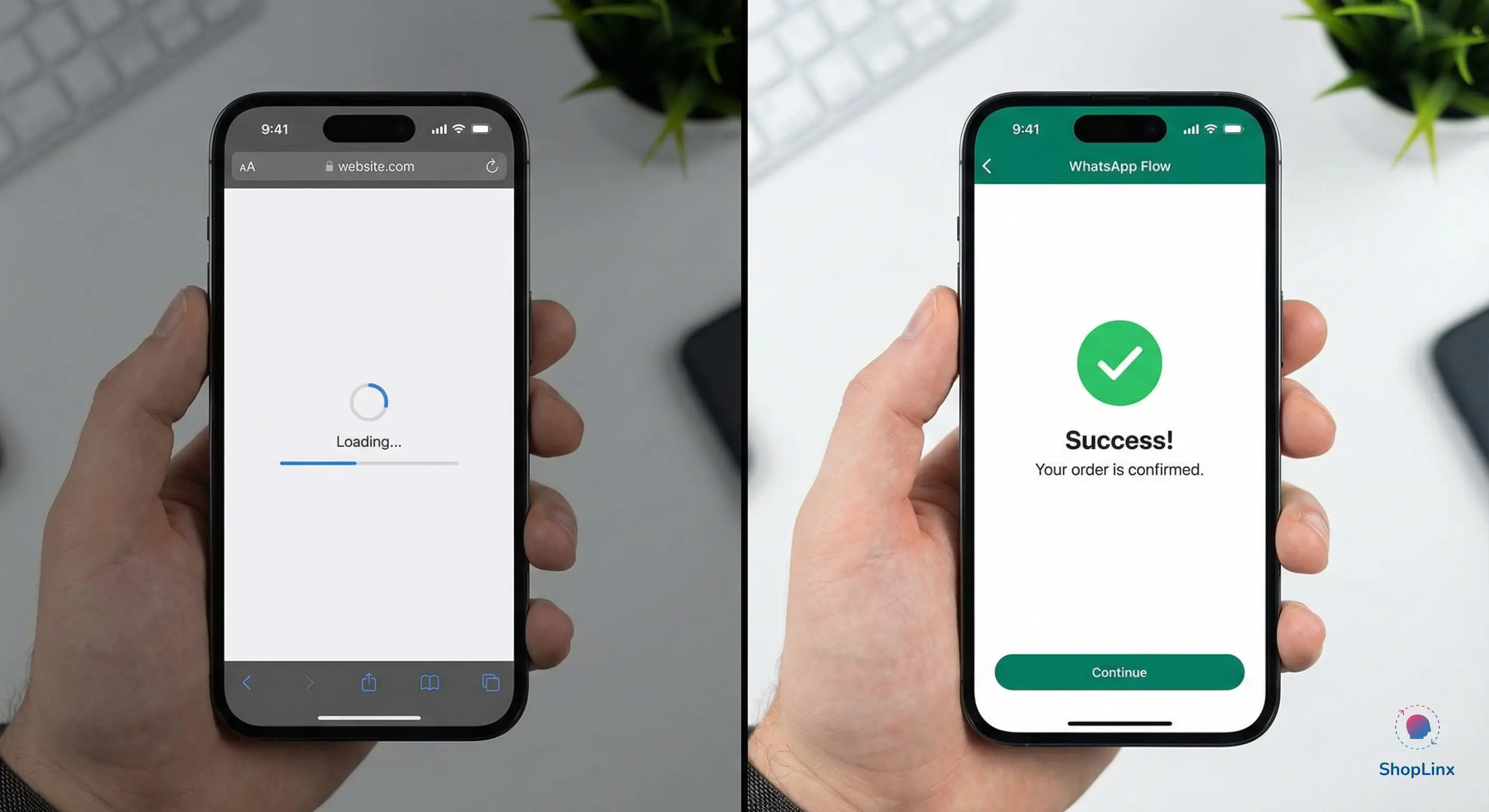
For years, the biggest conversion killer in WhatsApp marketing has been the External Link. A brand sends a beautiful message, creates interest, and then—at the most critical moment—forces the user to leave WhatsApp, open a mobile browser, and wait for a website to load just to fill out a form.
In 2026, this "Chat-to-Link" model is becoming obsolete. Users now suffer from "App Fatigue" and "Load-Time Anxiety." They want to complete their journey where they started: inside the chat.
Tags
This is where WhatsApp Flows changes everything. By turning your chat thread into a mini-application, you remove every technical barrier between your customer and their goal.Whether you are a real estate agent booking site visits, a clinic scheduling appointments, or a D2C brand collecting customer feedback, Flows allow you to capture data with zero friction. At Shoplinx.ai, we’ve seen that moving from web forms to native WhatsApp Flows can increase lead completion rates by up to 300%.
In this guide, we will explore how you can leverage this 2026 trend to build a seamless, high-converting customer journey without ever asking your users to leave their favorite messaging app.
To the average user, a WhatsApp Flow looks like a sleek, native app opening right inside their chat window. However, behind the scenes, it is powered by a specialized JSON-based framework provided by Meta.
Think of a Flow as a series of "Screens." When a user clicks your CTA button, instead of launching a browser, WhatsApp loads a pre-configured set of screens directly from Meta's servers. This is why the loading time is near-instant, regardless of the user's internet speed or device type.
While the underlying technology is technical (JSON), the implementation in 2026 has become incredibly simple for business owners. With platforms like Shoplinx.ai, you don't need to write a single line of code. You can use a drag-and-drop Flow Builder to:
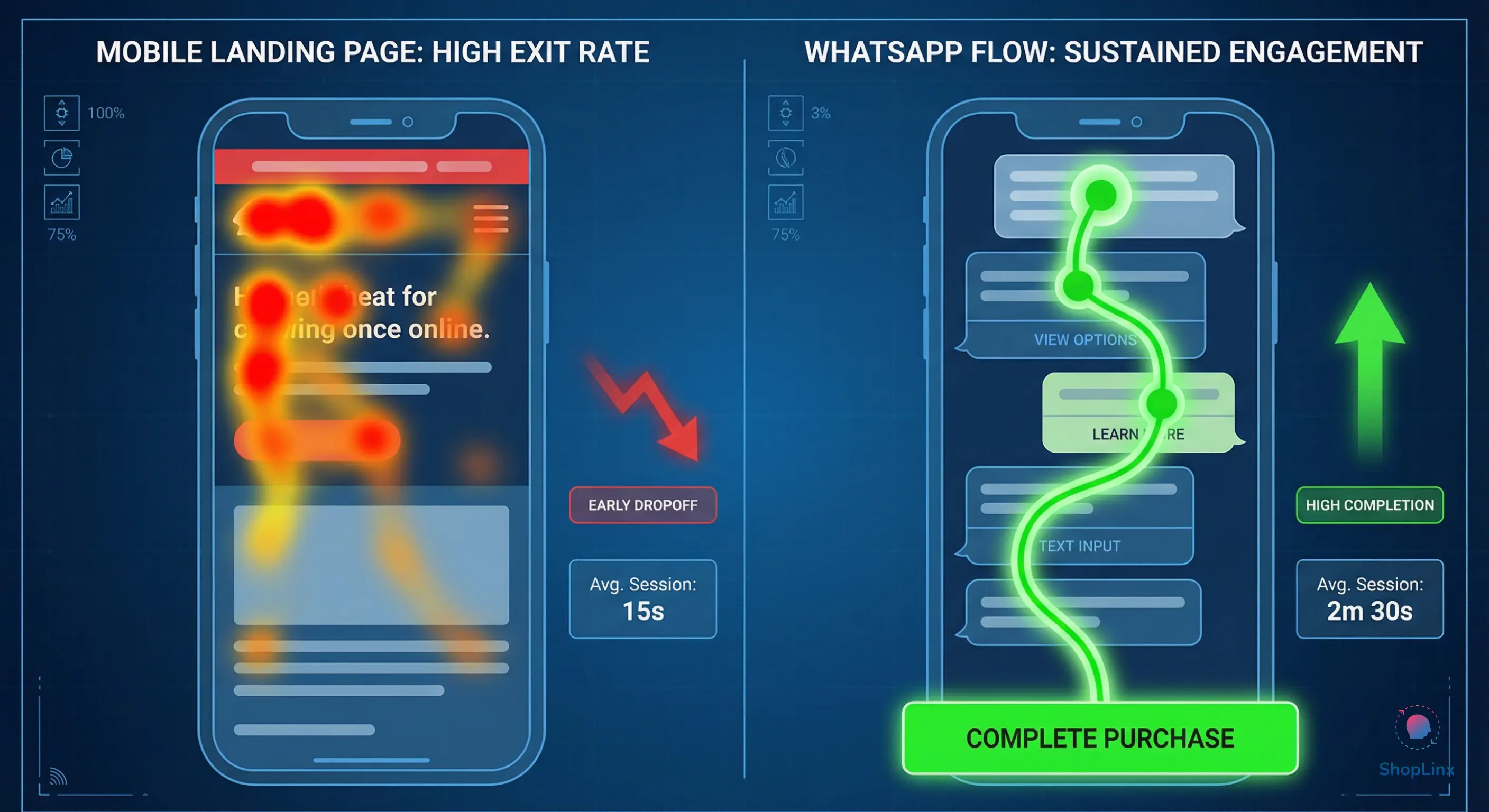
In our 2026 performance audit, we found that traditional web forms suffer from a 67% abandonment rate due to slow mobile loading and the "context switch" of leaving the app. In contrast, interactive lead forms built with WhatsApp Flows maintain the user's focus, leading to a 3x higher completion rate. When you keep the user inside the chat, you keep the conversion alive.
By removing the "External Link" from your sales funnel, you aren't just improving the user experience—you are mathematically increasing your chances of a successful lead capture. The tech works silently, but the results are visible in your bottom line.
The power of WhatsApp Flows lies in their versatility. Whether you are selling a luxury apartment or a high-end skincare product, the goal is the same: reduce the steps between the "Ask" and the "Action." In 2026, brands are using Flows to replace clunky website redirects with smooth, in-app experiences.
Here are four high-impact ways to implement Flows today:
In sectors like Real Estate, every lead is not a good lead. Traditionally, an agent has to call to ask, "What is your budget?" or "Are you looking for a 2BHK?" With a WhatsApp Lead Flow, the moment a user clicks your ad, a screen pops up inside WhatsApp asking these qualification questions. The data is instantly sent to your Shoplinx dashboard, allowing your sales team to prioritize only the "Hot" leads.
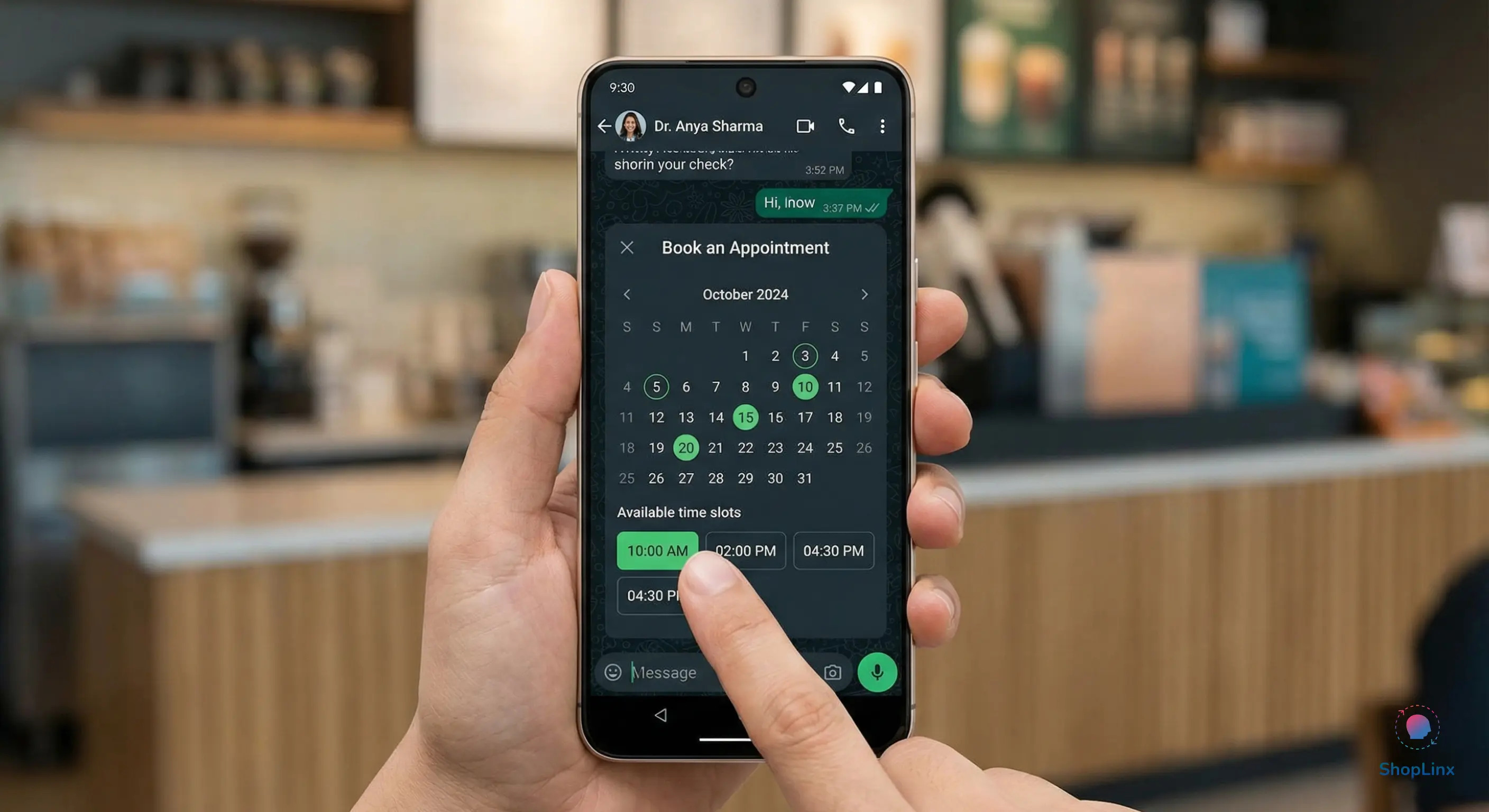
One of the most popular uses for WhatsApp Flows is scheduling. Instead of a back-and-forth chat about availability, you can present a real-time calendar.
Users can select their preferred date, choose a time slot, and confirm the booking—all within 15 seconds. This native experience eliminates the friction of opening a third-party booking link like Calendly.
Email surveys are ignored, and SMS links are often blocked as spam. However, a WhatsApp Flow makes providing feedback feel like a quick game.
Whether you are hosting a webinar or a local property launch, collecting RSVPs has never been easier. Use a Flow to collect the attendee's name, email, and specific interests. Since WhatsApp already has the user's phone number, the "Form" is partially pre-filled, making the registration process almost instantaneous.
Building a WhatsApp Flow is technically simple, but designing one that actually converts requires a strategic approach. Unlike a website where you have plenty of screen real estate, a WhatsApp chat is intimate and limited. Every word and every button must serve a specific purpose.
To ensure your Flows deliver the highest ROI, follow the Shoplinx Expert Methodology for "Flow UX":
Avoid "Form Fatigue." In 2026, the most successful WhatsApp Flows are short and punchy. Ideally, your Flow should not exceed three screens:
Don't use vague labels like "Submit" or "Next." Instead, use high-intent language that reinforces the benefit.
Since the user is already logged into WhatsApp, the system knows their phone number. A high-performance Flow should automatically pull this data so the user doesn't have to type it. This reduces manual effort and significantly lowers the drop-off rate.
Most users interact with WhatsApp using one hand. Ensure your buttons and selection lists are large enough to be tapped easily without errors. Avoid placing too many options in a single dropdown menu; use radio buttons for 2-3 choices to make them visible at a glance.
Once a user completes a Flow, do not just leave them hanging. Use the Shoplinx automation engine to send an immediate "Success Message" in the chat thread. This confirms the data was received and provides the user with a permanent record of their interaction, which builds immense trust.
Launching a high-converting WhatsApp Flow in 2026 doesn't require a team of developers. Shoplinx.ai has simplified the process into a visual, drag-and-drop experience. By integrating directly with the Meta Cloud API, we ensure your Flows are professional, secure, and ready to scale.
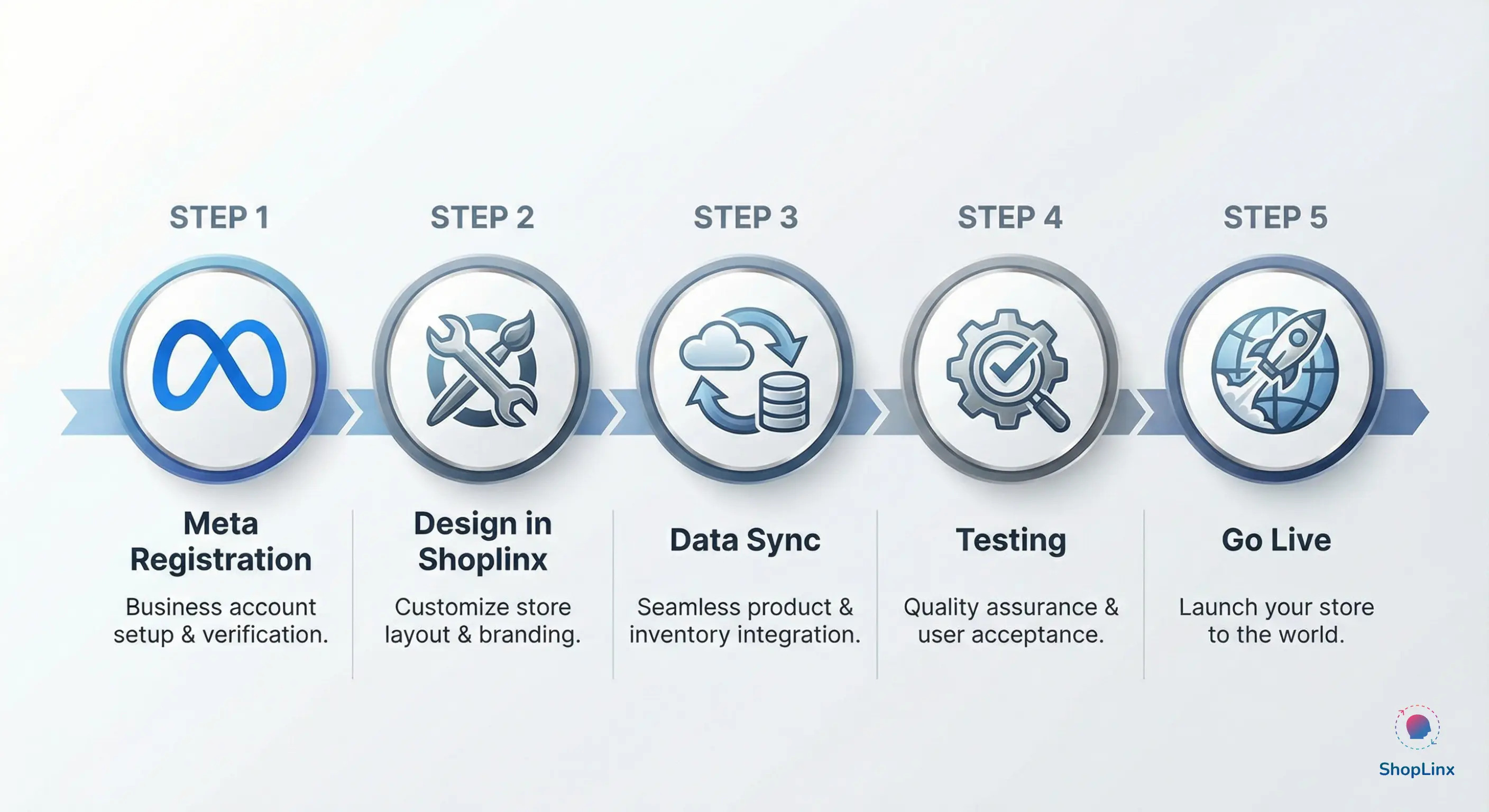
Here is your 5-step roadmap to launching your first Flow:
The digital landscape of 2026 demands speed and simplicity. By moving away from external links and adopting WhatsApp Flows, you are respecting your customer's time and attention. Whether you are a service provider or a D2C brand, the ability to collect data and book appointments natively inside the chat is your greatest competitive advantage.
Stop forcing your leads to wait for a website to load. Turn your WhatsApp thread into a high-converting engine with Shoplinx.ai.
Build Your First WhatsApp Flow with Shoplinx – Get Started for Free**